Platform Modules

Integration with ERP and administration systems

Manual entry of users, projects and locations takes time and is error-prone. With SafetyFirst's ERP integration, this data is automatically synchronised, so you always work with up-to-date and reliable information.

Automatic data sync from your ERP system

User and project data is taken from the existing ERP or management system and updated in SafetyFirst. This keeps the platform synchronised with the source data and makes management simpler and consistent. No double entry, fewer errors and always an up-to-date overview.

What ERP synchronisation gives you

Less manual administration.
Always up-to-date user and project data.
Faster onboarding of employees.
One central source for data within SafetyFirst.

How the integration between ERP and app works

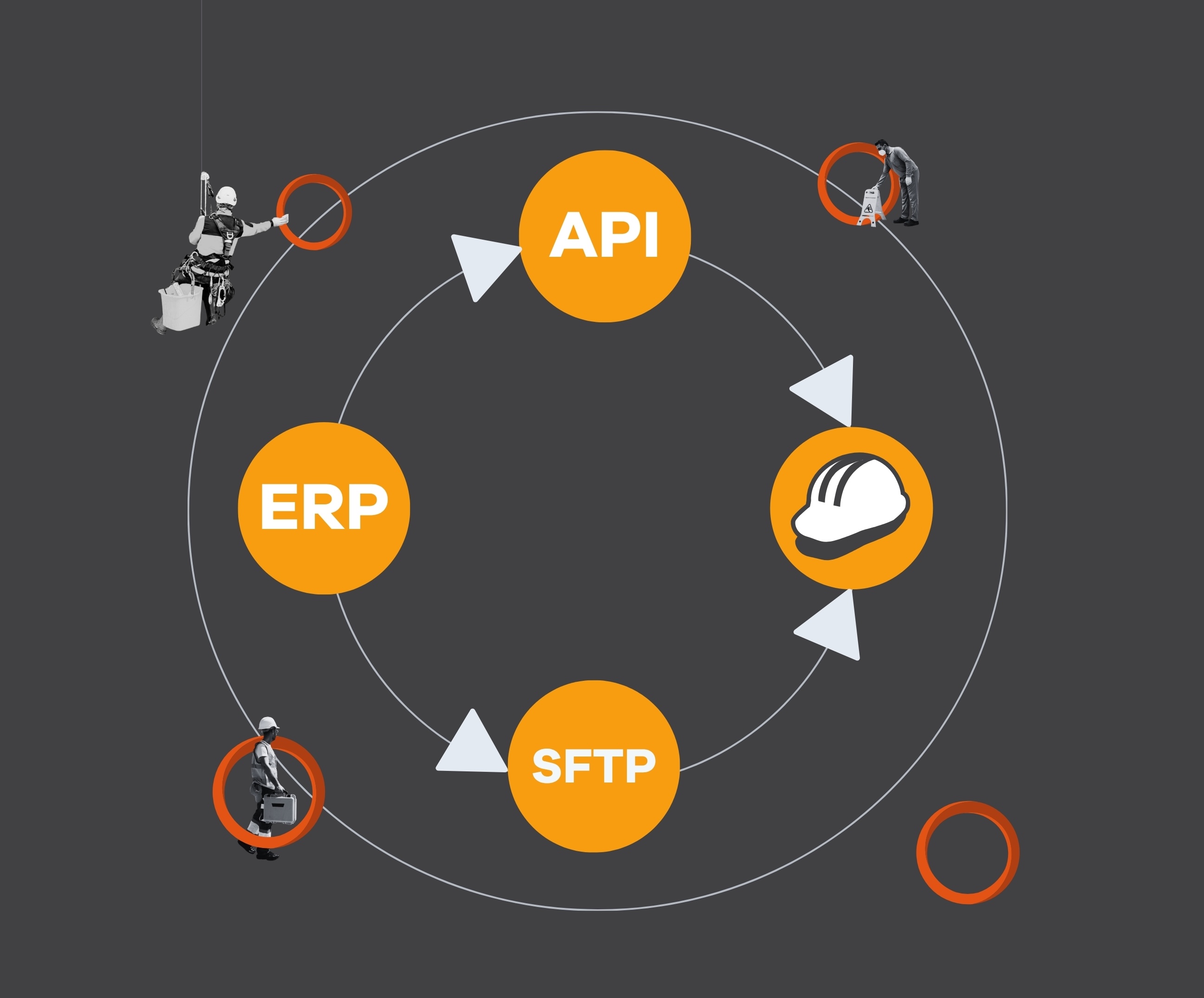
SafetyFirst connects to systems like Oracle, SAP, AFAS and Microsoft Dynamics. Users and projects sync automatically every day, so your data stays current without manual work. Setup is coordinated with your IT department.
The integration can be done in two ways:
  • Via API integrations with ERP systems
  • Via an SFTP connection with daily uploads of CSV files

ERP integrations and SSO in practice

SafetyFirst supports Single Sign-On (SSO) via Active Directory. Employees log in with their existing company account, in your own white-label environment. Combined with ERP synchronisation, new employees have access from day one.
Practical benefits:
  • No separate user registration
  • No extra passwords
  • New employees have immediate access
  • Less administration for IT

Integration and data analysis

All data recorded in SafetyFirst, such as reports, inspections, tasks and meetings, can be automatically exported daily as raw data. These files are made available as CSVs on an SFTP server, giving you a reliable basis for your own analyses and reports. This can also be done via the API.
Use this data for:
  • Dashboards in Power BI
  • Safety trend analyses
  • Reports for management and audits

Curious whether an ERP integration fits your organisation?

Request a demo and look together with our specialists and your own IT department at the optimal synchronisation via API integrations or SFTP.

Frequently asked questions

From which systems can data be exported?

Data can be synchronised from systems including SAP, Oracle, AFAS and Microsoft Dynamics, provided they support CSV exports or API integrations.

How does the automatic upload work?

CSV files can be automatically delivered daily via a secure SFTP connection. For data access via the API, information is made available on request, so it can be retrieved for your own applications and analyses.

What is the benefit of logging in via SSO?

Users log in with their existing company account. This prevents extra passwords and speeds up the onboarding of new employees.

What data is available for export?

All relevant data such as reports, inspections, tasks and meetings is available as raw data for analysis and reporting.

Does SafetyFirst help with the setup?

Yes, SafetyFirst provides both functional and technical support in setting up the ERP integration and coordination with the IT department.

Still have a question?

We’d be happy to hear from you and assist you further.